
What a hostname to IP lookup does
The step your browser takes before it can load anything.
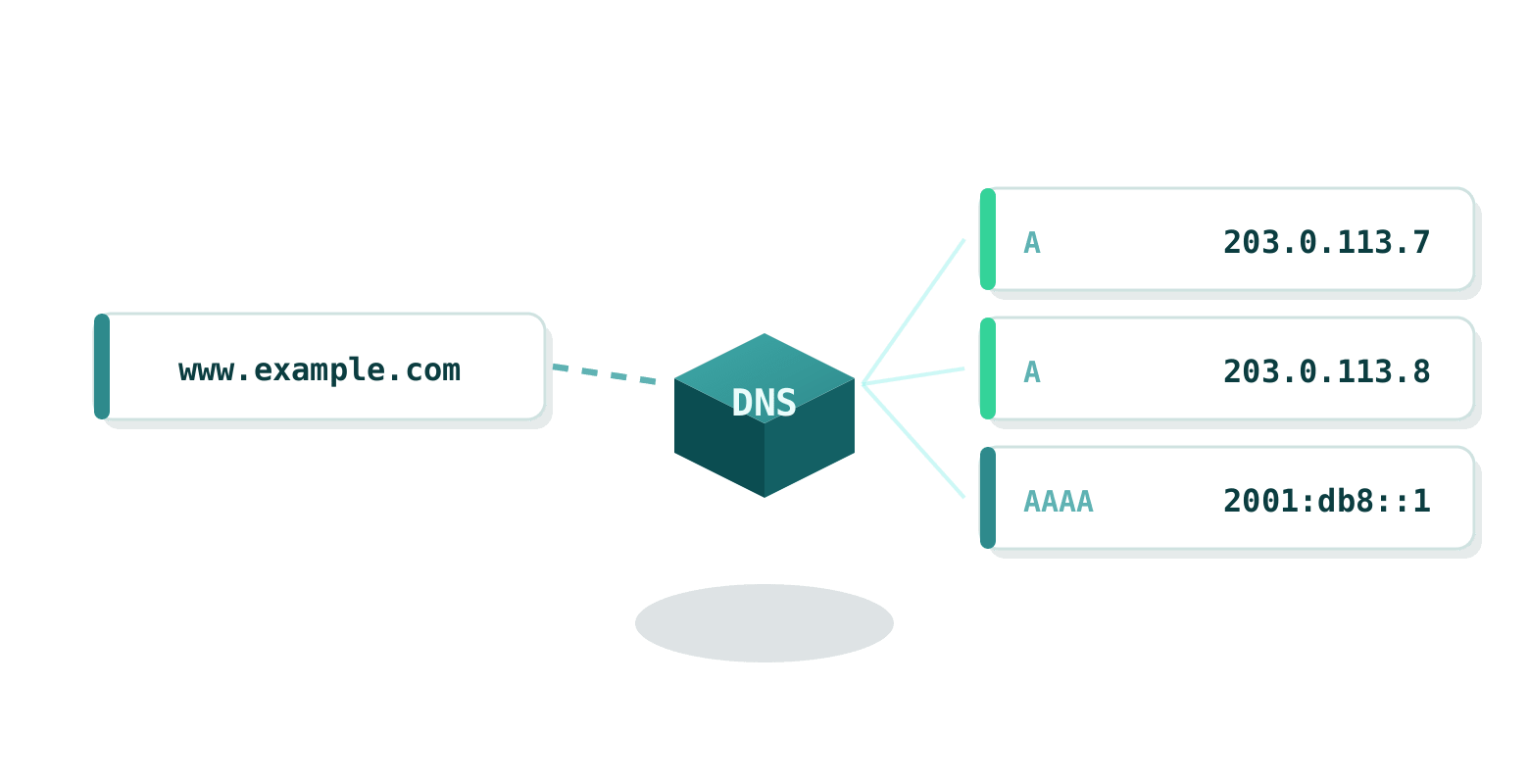
When you type a domain name into your browser, like google.com or IPWhois.net, your computer doesn't magically know where to go. Behind the scenes, the DNS (Domain Name System) translates that human-friendly name into a numerical IP address that servers understand. This tool does exactly that step for you. It queries DNS and shows every IPv4 (A record) and IPv6 (AAAA record) address associated with the name.
Network admins use it to troubleshoot connectivity, developers to check a server configuration, and plenty of people just want to know how a website is hosted. Large sites like google.com often have multiple IP addresses for load balancing and redundancy across data centers worldwide, and you see all of them here.
How the resolution works
DNS resolution is the process of converting a hostname into an IP address. Your device asks a recursive resolver (often provided by your ISP or services like Google DNS 8.8.8.8), which then queries authoritative name servers step by step until it finds the answer. We use reliable public resolvers and fall back to DNS over HTTPS (DoH) if needed, so you get an accurate result even if local DNS is slow or blocked.
The full DNS process, including root servers, TLD servers and the caching that makes the internet fast, is in our DNS wiki article.
Why use our hostname to IP lookup tool
Need to check why a site isn't loading, verify a CDN setup, or see how a big website spreads its traffic? This is what you get.
IPv4 and IPv6
Both A and AAAA records, essential as the internet transitions to IPv6.
Every address
Many domains have several addresses for reliability and speed. You see all of them, not just the first.
Fast and cached
Results are cached for 60 seconds for speed, which is still fresh enough for real use.
Links to details
Click any IP to see full geolocation, ISP and network info via our IP lookup.
Free and unlimited
No sign-up, no limits. Just type and go.
Part of the toolbox
Sits right next to ping, traceroute and our DNS checker for propagation questions.
DNS in the modern internet
A few things worth knowing when you read the result.
DNS is often called the "phonebook of the internet." Without it, we'd all be typing IP addresses like 142.250.190.14 instead of google.com. As more devices connect (IoT, mobile, cloud), DNS has grown to handle massive scale, security (DNSSEC) and privacy (DoH/DoT).
Big sites use anycast routing and multiple IPs so you're always connected to the nearest server. Our IP address wiki explains how IPv4 exhaustion led to NAT and the push for IPv6 adoption.
Facts that explain odd results
- Google.com has dozens of IP addresses worldwide, changing based on your location for faster loading.
- CDNs like Cloudflare or Akamai use DNS to route traffic intelligently, so netflix.com resolves differently depending on your region.
- The root DNS servers (there are 13 logical ones, but hundreds of physical instances) handle billions of queries daily without most people knowing they exist.
- Negative caching: if a domain doesn't exist, your resolver remembers that for a while to avoid repeated failed lookups.
- IPv6 adoption is growing fast in mobile networks, but many sites still primarily use IPv4 for compatibility.
Curious about more? Read our DNS article or try looking up cloudflare.com to see anycast in action.